August 22nd, 2023
Improved
Fixed
Updated 'Builds' Workflow
From listening to user feedback and our own use of the 'Builds' feature, we identified two points of contention.
Build Clarity:
Knowing which Build was open was confusing.
If you left the slicer page, the previous Build stayed open, leading to uncertainty.
Now, when leaving the slicer, the Build closes. Opening a model from the Library starts a new Build.
Adding Models from the Library: This problem was addressed in two main ways:
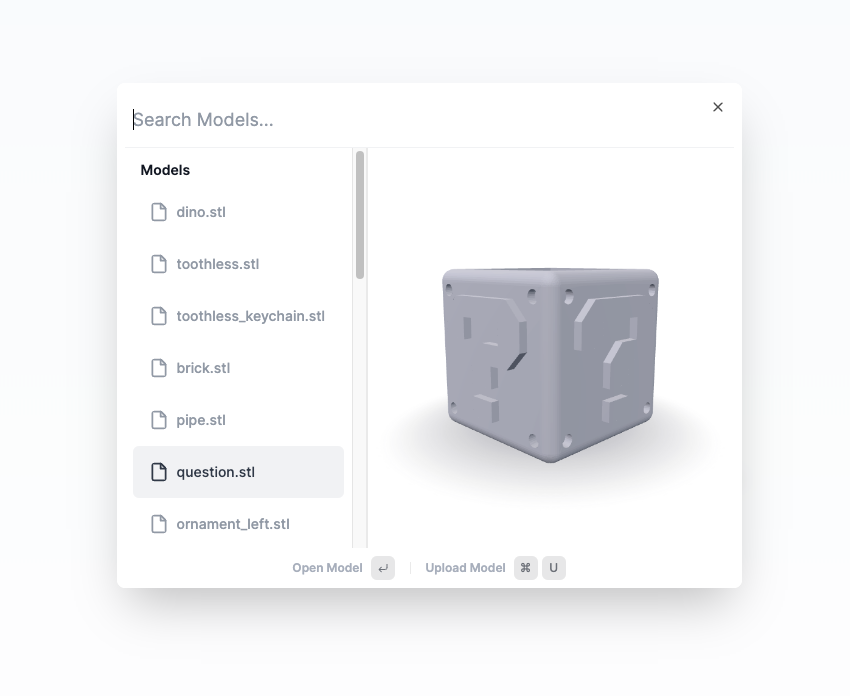
Command Menu with Model Search:
Clicking the '+' button now opens a command menu with a search function for models.
Enhancements to the command menu include bug fixes and speed improvements.
Easy Model Uploading:
Uploading new models is simpler.
Use the 'U' keyboard macro or click the upload model option within the command menu.
Other Improvements & Fixes
Improved Slicing Indicator:
The 'Slice', 'Re-slice', and 'Download G-code' buttons are now located at the top of the slicer in the global toolbar.
Accompanying this new placement are redesigned indicators that provide a more coherent view of the slicing progress.
Model Search Bug Fix:
Previously, searching for models yielded inconsistent results due to bugs.
These issues have been fixed, resulting in more reliable search results.