July 18th, 2023
New
Improved
Fixed
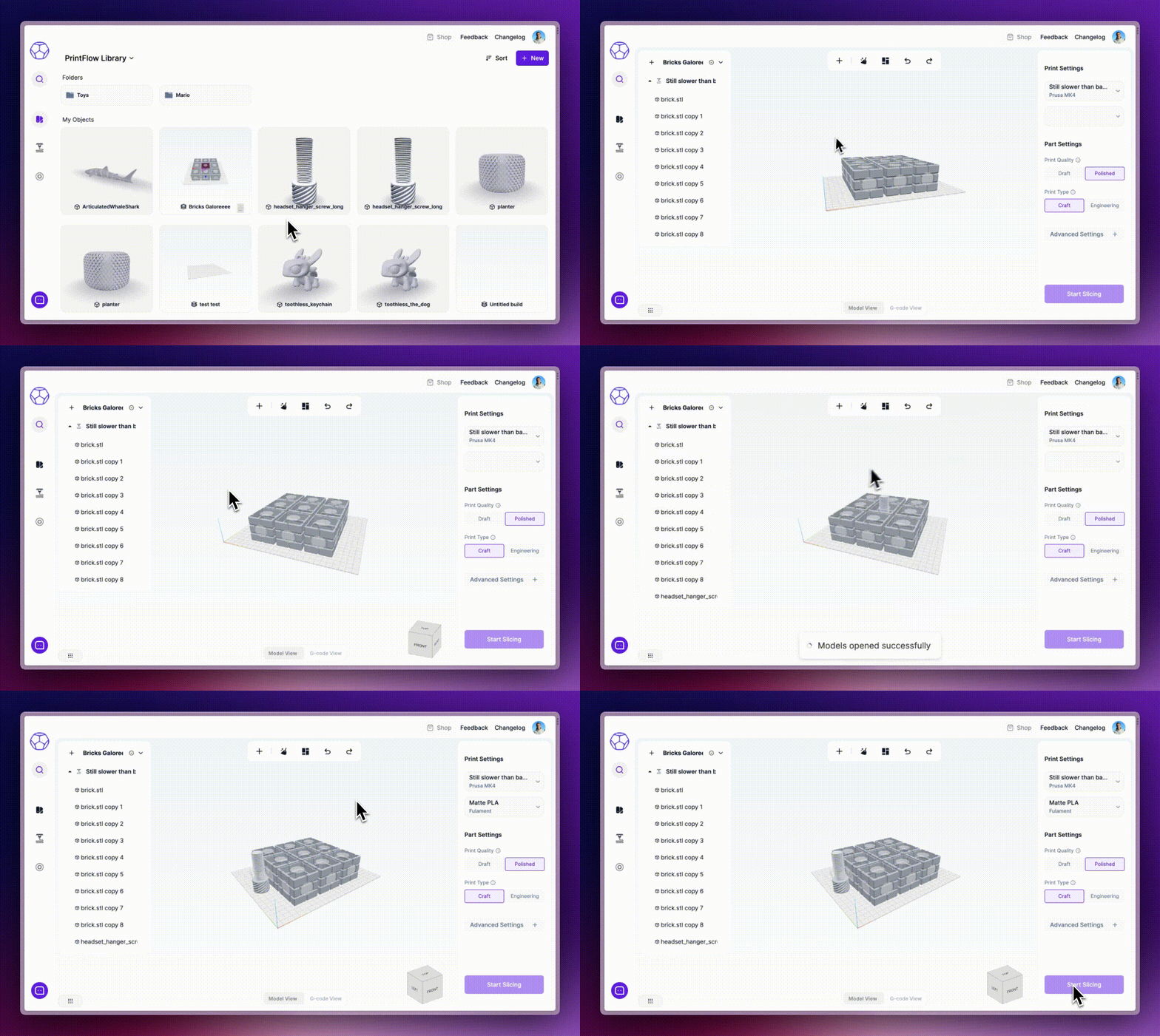
Introducing 'Builds': Leveling Up Your Workflow
In 3D printing, every detail matters. To make your life easier, we're rolling out Builds, a new feature that auto-saves all components of a print job—parts, positioning, scales, settings, and more—into a "build file" in our PrintFlow library.
With Builds, you can:
Start from scratch with a new build directly from the slicer or PrintFlow library.
Use the command menu (CMD or Ctrl+K) to add models to your build.
Rest easy knowing all changes to your build are auto-saved, keeping the process smooth and simple.
Access and reopen recent builds directly from the PrintFlow library.
These key details—including the name, filament used, printer settings, and a visual snapshot—are saved with each build, making them easily identifiable and searchable in your library.
This is just the start of making 3D printing with us even more user-friendly. Try out Builds today, and enjoy the streamlined experience!
Other Improvements & Fixes
Printer searching functionality has been improved in the Material & Printer combo-boxes.
Temperature ranges for Temperature Calibrations have been updated for all materials.
Fixed compatibility issues with Prusa printers.
Adjusted Z Travel speed to prevent any grinding noises.
Prusa MK4 is now configured without Input Shaping.
The temperature calibration model has been refined for faster print times.
The speed calibration has been updated to enable quicker printing.
Printers featuring PrintFlow calibrated profiles are now identifiable with a purple marker under the Printer dropdown in the slicer.
We've added the ability to request nozzle diameter changes via chat.
New material profiles (ABS, ASA, TPU, TPE) have been incorporated into the filament library.
A new calibrations indicator has been added to printer & material drop-downs in the calibrations menu.